 Idyntic
NIN slip printing
How to Print NIN Slip with Phone Number
Step-by-step walkthrough on retrieving and printing a NIN slip using the phone number linked at NIN enrollment, for customers who no longer remember their NIN.
Overview & Context
When a customer has misplaced their NIN slip and does not recall the 11-digit number, you can query the national identity database using the SIM phone number linked during enrollment.
Document & Production Details
- Accepts any active or historical Nigerian mobile number (MTN, Airtel, Glo, 9mobile) registered with the identity record.
- Returns full citizen credentials including name, photo, date of birth, and the recovered 11-digit NIN.
- Allows instantaneous download of Regular, Standard, or Premium PDF slips once retrieved.
Step-by-Step Instructions
- 1Open 'NIN by Phone' from the Idyntic dashboard sidebar.
- 2Enter the customer's 11-digit Nigerian mobile number (e.g., 0803XXXXXXX).
- 3Run the live lookup query to retrieve the associated National Identification record.
- 4Verify that the photo and legal names match the customer standing before you.
- 5Select their preferred slip format (Regular, Standard, or Premium) and print.
Recommended Paper Stock
Dependent on selected output slip (Standard A4 paper or Glossy PVC card stock).
Best Suited For
Customers with lost NIN slips, misplaced documents, or those who registered years ago and only recall their registered SIM number.
Operator Tip
Confirm that the SIM card was registered in the customer's own name. If the line was registered under a relative's name, search using demographic details instead.
Frequently Asked Questions
Can I retrieve a NIN with an unregistered or new phone number?
No. The phone number must match the number provided during original NIN enrollment or subsequently linked via telecom NIN-SIM integration.
What if the customer no longer has access to the physical SIM card?
As long as you know the phone number string, you can retrieve the profile on Idyntic without needing to receive an SMS OTP on the line.
More nin slip printing guides
View all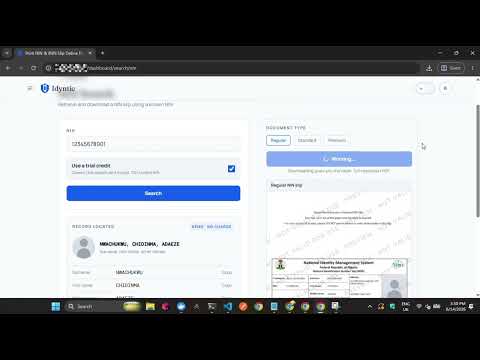 ▶0:35
▶0:35How to Print a Regular NIN Slip
Step-by-step walkthrough on generating and printing a standard Regular NIN Slip on the Idyntic platform, from entering the NIN to downloading the printable PDF.
 ▶0:40
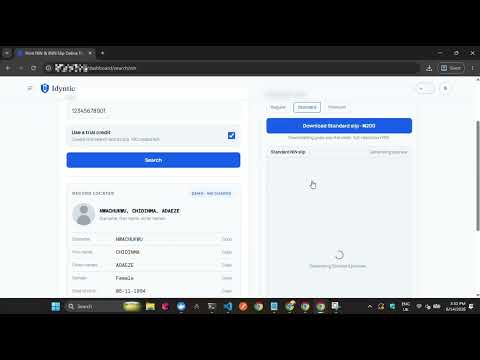
▶0:40How to Print a Standard NIN Slip
Step-by-step walkthrough on generating and printing a high-resolution Standard NIN Slip, the format most business centers use for everyday replacements.
 ▶0:32
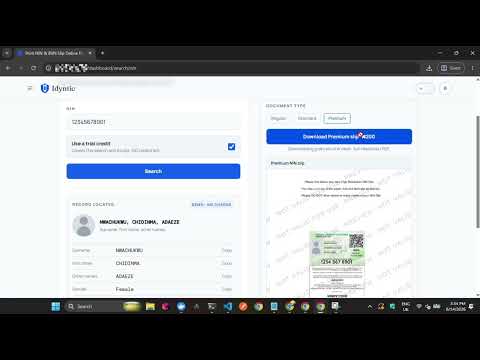
▶0:32How to Print a Premium NIN Slip
Step-by-step guide to generating and printing a high-resolution Premium NIN Slip on Idyntic, the format required for plastic PVC NIN card printing.