 Idyntic
NIN slip printing
How to Print a Standard NIN Slip
Step-by-step walkthrough on generating and printing a high-resolution Standard NIN Slip, the format most business centers use for everyday replacements.
Overview & Context
The Standard NIN Slip is the modern, compact replacement format featuring the digital NIMC watermark, scannable QR code, and essential identity credentials arranged in a clean layout.
Document & Production Details
- The Standard slip features high-resolution security guilloche patterns and government watermarks that deter forgery.
- Contains an encrypted 2D barcode (QR code) containing digitally signed identity credentials for instant offline machine verification.
- Takes up half the page, making it easy for customers to fold and protect in clear plastic sleeves.
Step-by-Step Instructions
- 1Navigate to NIN Retrieval on your Idyntic dashboard and input the customer's 11-digit NIN.
- 2Execute the search query and review the live photo and demographic data.
- 3Select 'Standard NIN Slip' from the format selector.
- 4Click Preview to check watermark clarity and scannable code resolution.
- 5Download the vector-quality PDF and print using high-quality color settings.
Recommended Paper Stock
80gsm–100gsm High-Brightness Bond Paper (Color Inkjet or Color Laser recommended).
Best Suited For
Embassies, SIM card registration, telecom KYC updates, civil service verifications, and passport applications.
Operator Tip
Ensure your printer is set to 100% scale (no fit-to-page distortion) so the embedded security QR code remains sharp and instantly readable by 2D barcode scanners.
Frequently Asked Questions
What makes the Standard NIN slip different from the Regular slip?
The Standard slip includes an enhanced digital security layout, modern government typography, and an encrypted QR verification code designed specifically for quick verification by immigration, banks, and telecoms.
Can I laminate the Standard NIN slip for my customer?
Yes. Many cybercafes trim the printed Standard slip and heat-laminate it with a 125-micron pouch for long-lasting durability.
More nin slip printing guides
View all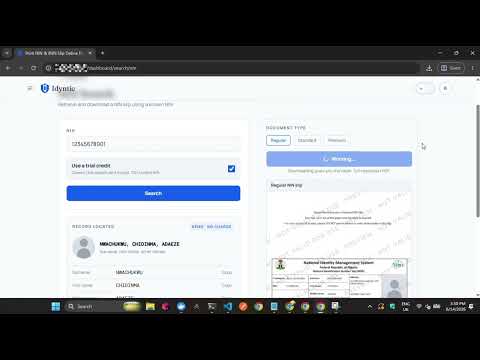 ▶0:35
▶0:35How to Print a Regular NIN Slip
Step-by-step walkthrough on generating and printing a standard Regular NIN Slip on the Idyntic platform, from entering the NIN to downloading the printable PDF.
 ▶0:32
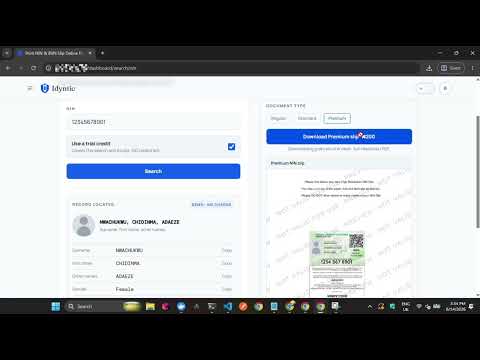
▶0:32How to Print a Premium NIN Slip
Step-by-step guide to generating and printing a high-resolution Premium NIN Slip on Idyntic, the format required for plastic PVC NIN card printing.
 ▶0:34
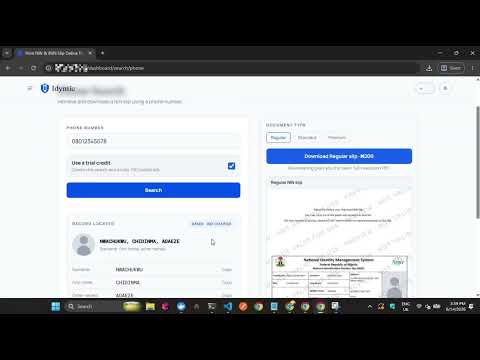
▶0:34How to Print NIN Slip with Phone Number
Step-by-step walkthrough on retrieving and printing a NIN slip using the phone number linked at NIN enrollment, for customers who no longer remember their NIN.