 Idyntic
NIN slip printing
How to Print a Regular NIN Slip
Step-by-step walkthrough on generating and printing a standard Regular NIN Slip on the Idyntic platform, from entering the NIN to downloading the printable PDF.
Overview & Context
The Regular NIN Slip (also known as the original enrollment confirmation) is the full-page reference document issued upon first registering for a National Identification Number. It displays the full profile metadata alongside tracking identifiers.
Document & Production Details
- The Regular slip displays the enrollee's complete 11-digit NIN, tracking ID, full legal name, gender, date of birth, residential address, and registration center code.
- Unlike the Premium card format, the Regular slip prints across a full standard A4 sheet without requiring card cutters or thermal laminators.
- Always verify the customer's spelling on screen before proceeding to the document generation step to avoid unnecessary re-prints.
Step-by-Step Instructions
- 1Sign in to your Idyntic workspace and navigate to the NIN Retrieval tab.
- 2Enter the customer's 11-digit National Identification Number.
- 3Click Search Record and verify the returned name and demographic details on screen.
- 4Select 'Regular Slip' from the available document formats.
- 5Preview the generated layout, download the PDF, and send it directly to your printer on A4 paper.
Recommended Paper Stock
Standard 70gsm–80gsm White A4 Copy Paper (Black & White or Color Laser/Inkjet).
Best Suited For
Office filings, school admissions, personal records, and general administrative proof of enrollment.
Operator Tip
Remind customers that the regular slip is primarily an informational proof of registration. If an institution explicitly demands a wallet-sized card or scannable QR verification, recommend the Premium slip instead.
Frequently Asked Questions
Is the Regular NIN slip accepted for bank account opening in Nigeria?
Most commercial banks accept the Regular NIN slip as proof of identification, provided the 11-digit NIN and biometric photograph match the applicant's records.
Does the Regular NIN slip have an expiration date?
No. The National Identification Number and the Regular enrollment slip do not expire. However, if personal details change, a new slip reflecting the updated record can be retrieved.
More nin slip printing guides
View all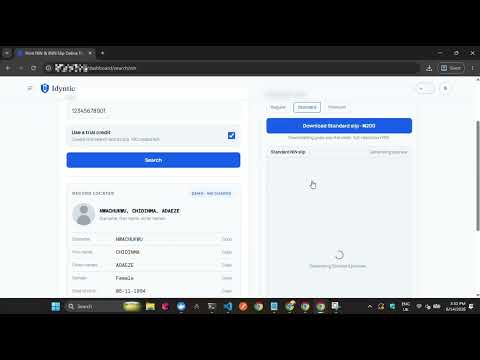 ▶0:40
▶0:40How to Print a Standard NIN Slip
Step-by-step walkthrough on generating and printing a high-resolution Standard NIN Slip, the format most business centers use for everyday replacements.
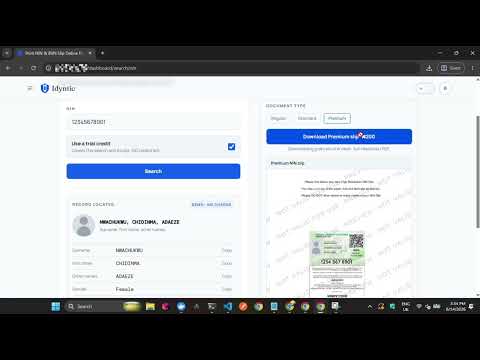 ▶0:32
▶0:32How to Print a Premium NIN Slip
Step-by-step guide to generating and printing a high-resolution Premium NIN Slip on Idyntic, the format required for plastic PVC NIN card printing.
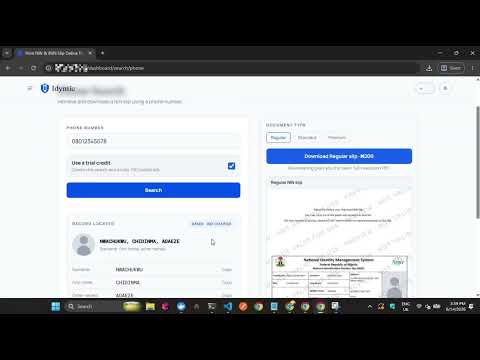 ▶0:34
▶0:34How to Print NIN Slip with Phone Number
Step-by-step walkthrough on retrieving and printing a NIN slip using the phone number linked at NIN enrollment, for customers who no longer remember their NIN.