 Idyntic
NIN slip printing
How to Print a Premium NIN Slip
Step-by-step guide to generating and printing a high-resolution Premium NIN Slip on Idyntic, the format required for plastic PVC NIN card printing.
Overview & Context
The Premium NIN Slip is designed specifically for wallet-sized plastic (PVC) ID card production. It renders front and back ID card faces with ISO/IEC 7810 ID-1 standard dimensions (85.60 × 53.98 mm).
Document & Production Details
- Renders exact front and back panels with portrait photo, digital signature box, issue date, and encrypted 2D machine-readable zone.
- Optimized 300 DPI vector output guarantees crisp micro-text and barcode scanner readability even after thermal plastic lamination.
- Commands the highest service margin for business centers (typically charging NGN 1,500 to NGN 3,000 for finished laminated PVC cards).
Step-by-Step Instructions
- 1Access the Idyntic NIN Retrieval console and input the customer's 11-digit NIN.
- 2Perform the instant verification search to pull up the national biometric profile.
- 3Select 'Premium NIN Card' from the format options.
- 4Download the print-ready PDF containing aligned front and back panels.
- 5Print on photo paper or PVC overlay sheets, cut along the guideline borders, and laminate.
Recommended Paper Stock
Glossy Photo Paper (230gsm–300gsm) or direct PVC Card Printer (Zebra, Evolis, Fargo) with heat lamination.
Best Suited For
Everyday wallet ID card carrying, driver license verification, police checks, examinations (JAMB/WAEC), and corporate security.
Operator Tip
For PVC card creation on inkjet printers: print on double-sided PVC inkjet overlay sheets, fuse with a roll laminator, and punch out with a heavy-duty desktop card cutter.
Frequently Asked Questions
Is a printed Premium plastic NIN card legally recognized in Nigeria?
Yes. The Premium NIN slip is authorized by NIMC and includes verifiable cryptographic QR codes that law enforcement and institutions can scan using the NIMC Mobile App.
What equipment is required to produce plastic NIN cards from Idyntic?
You only need a standard color inkjet printer, PVC overlay sheets (or inkjet PVC card trays), and a pouch laminator to produce commercial-grade plastic ID cards.
More nin slip printing guides
View all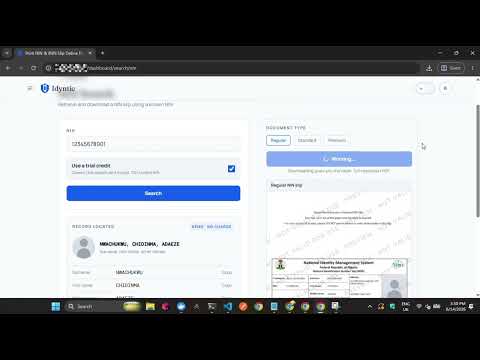 ▶0:35
▶0:35How to Print a Regular NIN Slip
Step-by-step walkthrough on generating and printing a standard Regular NIN Slip on the Idyntic platform, from entering the NIN to downloading the printable PDF.
 ▶0:40
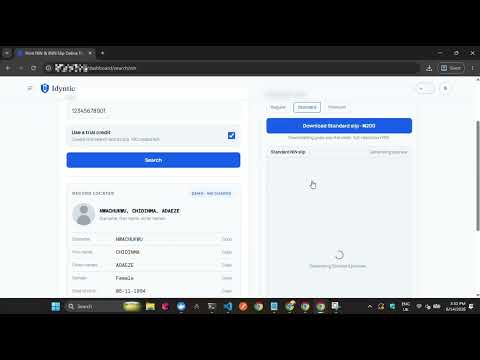
▶0:40How to Print a Standard NIN Slip
Step-by-step walkthrough on generating and printing a high-resolution Standard NIN Slip, the format most business centers use for everyday replacements.
 ▶0:34
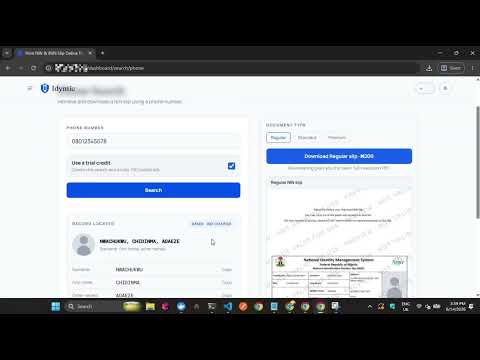
▶0:34How to Print NIN Slip with Phone Number
Step-by-step walkthrough on retrieving and printing a NIN slip using the phone number linked at NIN enrollment, for customers who no longer remember their NIN.